What iOS is this?
Opened Settings, went to General and About, and read the version back.
23 Oct 20267 turns, 31 s
A real iPhone your AI agent can see, tap and type on, through one MCP URL.
https://mcp.usethumbs.com/mcp
Add it to Claude Code or any MCP client, then sign in with Google. Not on the list yet? Get early access
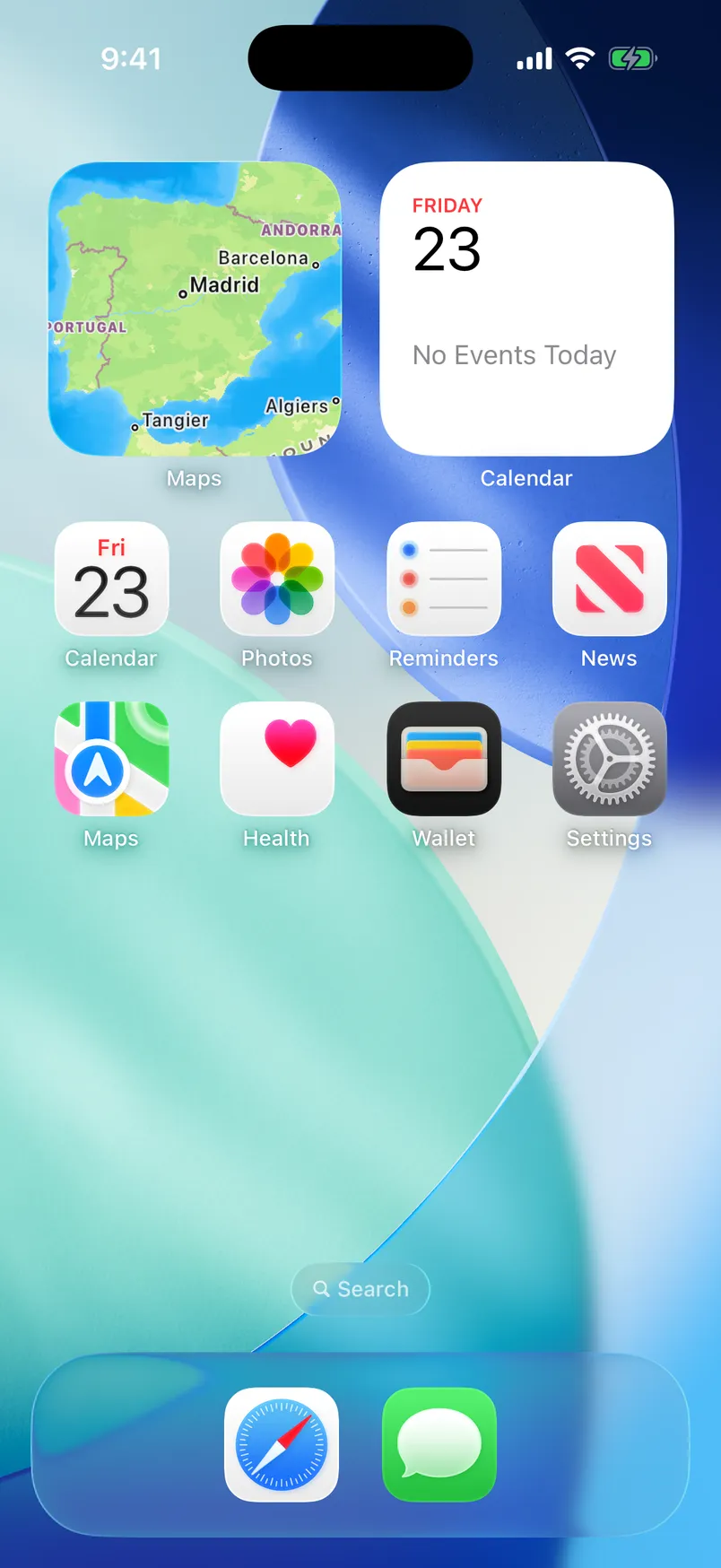
Tap the phone’s screen. This is what your agent gets back.
› observe
App: Home Screen · 589x1280 px
[1] Icon "Maps" (Widget) @35,129,248,281
[2] Icon "Calendar" (Widget, Stack) @306,129,248,281
[6] Icon "Calendar" (Friday, October 23) @38,422,105,135
[13] Icon "Settings" @447,570,103,133
A replay of a real thumbs session: Settings, General, About.
Every app was built for a thumb. Your agent has none, so thumbs lends it a real iPhone.
One command in Claude Code, or a custom connector in the Claude app.
$ claude mcp add --transport http thumbs https://mcp.usethumbs.com/mcp
Added HTTP MCP server thumbs with URL: https://mcp.usethumbs.com/mcp to local config
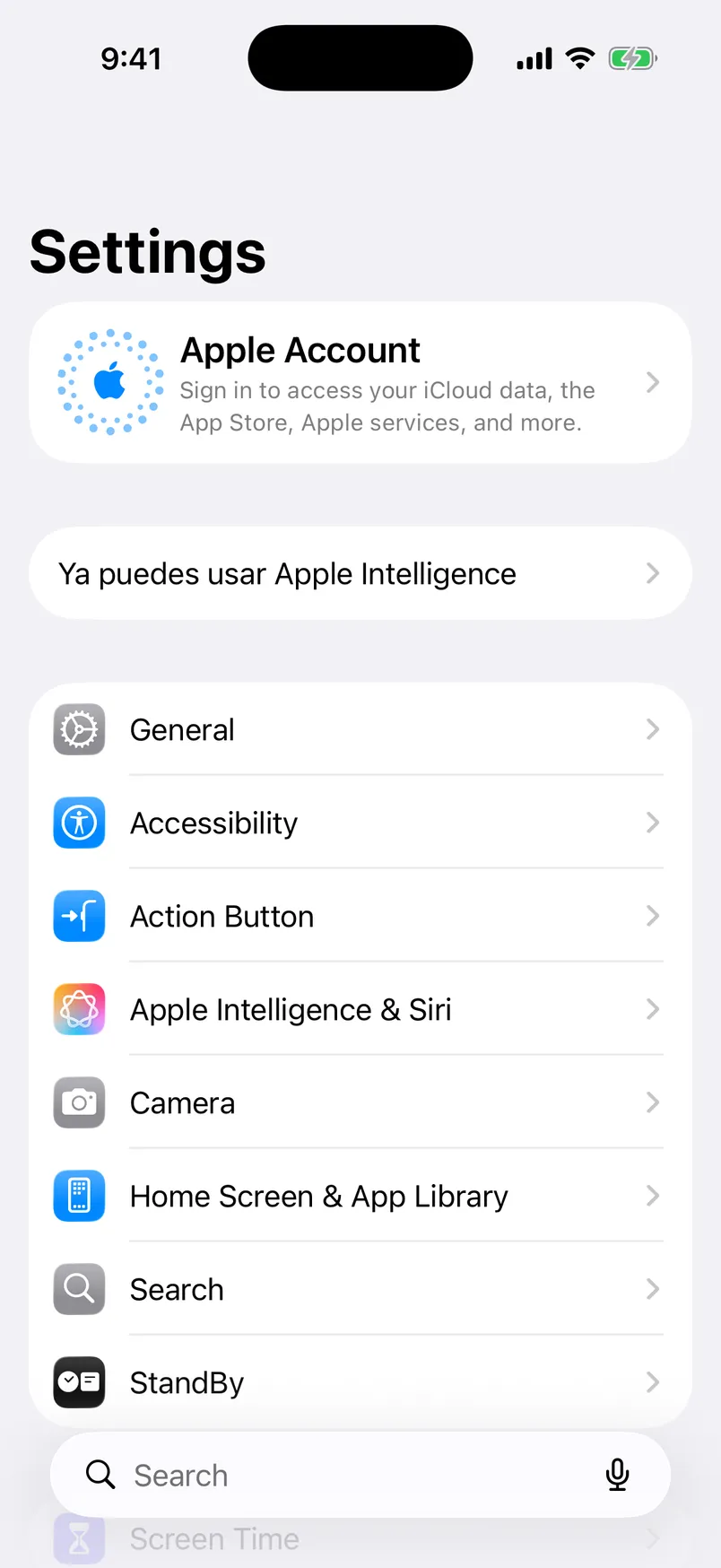
› observe
App: Settings
[4] Button "General" @23,557,542,78
[5] Button "Accessibility" @23,633,542,78
[8] Button "Camera" @23,861,542,78
[13] SearchField "Search" @47,1176,494,56
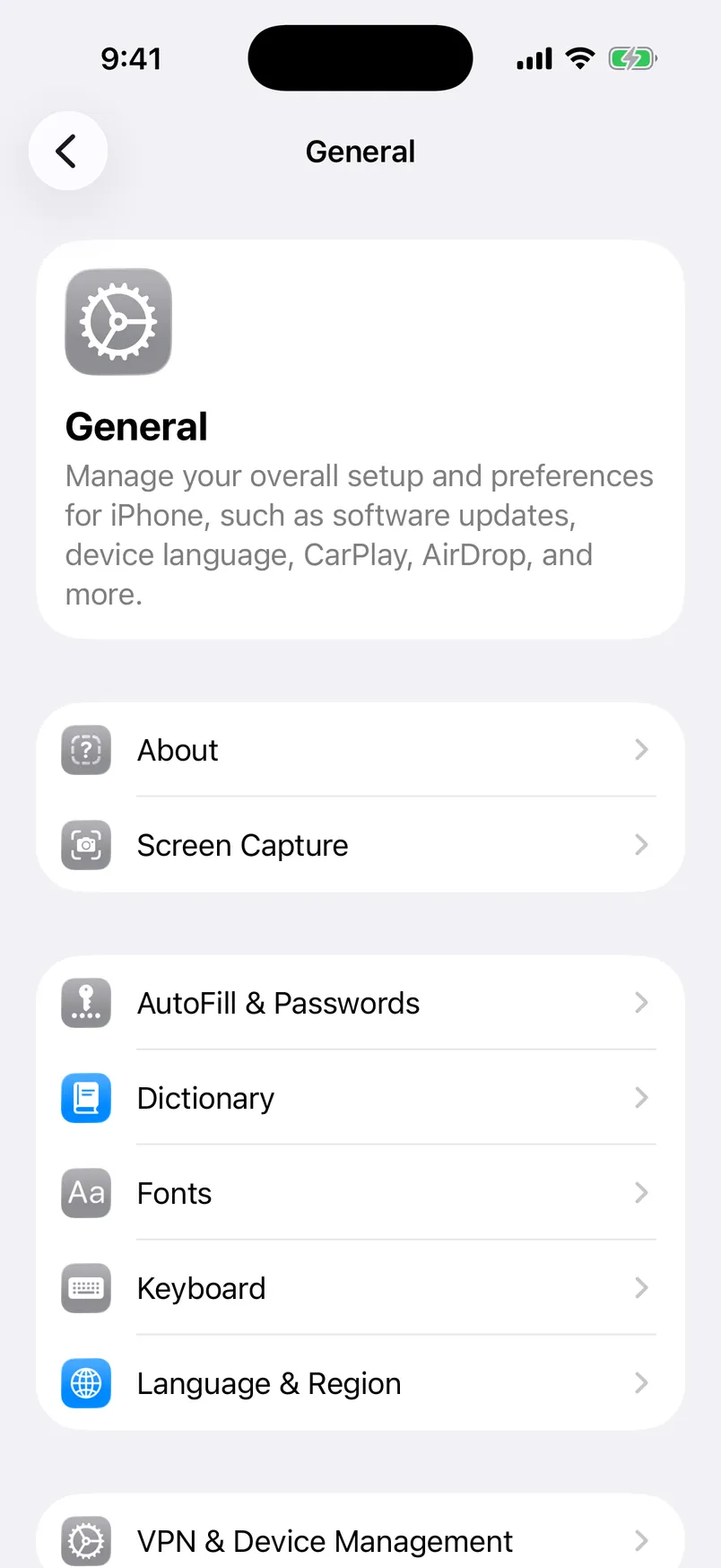
› tap {"element": 4}
ok (494 ms)
› observe
App: Settings
[6] Cell "About" @29,573,530,79
It installs real apps from the App Store.
A simulator can’t run App Store apps. A real iPhone runs every one of them.
It sees every button, numbered.
One look returns the screen and everything tappable on it, in 0.3–0.9 s.
It reads SMS codes on its own number.
Your own iPhone comes with a Spanish eSIM for verification codes.
It stays yours alone.
One iPhone per customer. Your sessions never meet another agent’s.
3.2min
Worked out at 10.1 s a screen, the pace we measured when an agent walked a language app’s 19-screen onboarding in 3.2 minutes, model time included.
thumbs opening Settings, then General, then About, and back home: the walk from the top of this page, in one take.
Screen recording from the iOS Simulator, 22 seconds.
Opened Settings, went to General and About, and read the version back.
Searched for a term and read back the title of the first result.
Walked a language app to its paywall, declined every prompt and bought nothing.
Sent safe commands nonstop, one every four seconds or so.
A screenshot back from the phone, timed thirty times in a row.
Five runs on an iPhone 17 Pro in Spain, on 23 October 2026.
€149/ month
An iPhone in Spain that only your agents use, with a Spanish eSIM for SMS codes, the whole App Store, and your logins kept between sessions.
Reserve your iPhoneAny agent that speaks MCP over HTTP with sign-in. We test with Claude Code: run claude mcp add --transport http thumbs https://mcp.usethumbs.com/mcp, then /mcp to sign in with Google. In the Claude app, add the same URL as a custom connector.
Yes. It sits on a desk in Spain, plugged into a Mac. Your agent drives it through Apple’s own testing framework, so it taps and types the way a person does. The replay at the top of this page was recorded on the iOS Simulator.
A screenshot and a numbered list of everything it can tap, with labels and positions. It can tap by number or by point, type, swipe, scroll, open apps and links, press the home button and answer system alerts.
On your own iPhone, yes: sign in once and the phone keeps the session. On early access the phone is shared between testers, so don’t sign in to anything personal there.
In Spain, in the EU, on Spanish networks and the Spanish App Store.
Banking and Apple Pay apps, which need a passcode the phones don’t have, and anything that asks for Face ID.
thumbs is for your own accounts and your own apps. We don’t hide that an agent is driving and we don’t help anyone get around an app’s rules. No spam and no fake accounts.
Measured on an iPhone 17 Pro: a screenshot comes back in about 63 ms, a full look at the screen with its element list in 0.3–0.9 s, and a tap takes 0.4–0.8 s depending on the app.
Sign in with Google. If you’re on the list, your agent gets its URL at once. If not, you’re in line and we’ll write to you.